Pebble watch app
 Pebble watch app
Dashboard
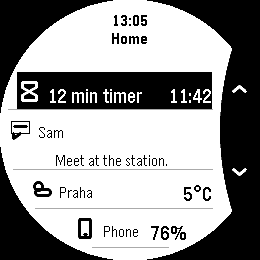
Your activity, notifications and pins. One overview.
Open Dashboard for a quick look at a current activity, the latest available notification and two pinned items. Add the readings and shortcuts you find useful, then browse the full collections when you need more.
- Works with
- Pebble Time 2 and Round 2
- Version
- 1.0.2
- Shared readings and activities need the Pebble phone app’s plugin support and a connected phone.
- Built-in Music and Notifications activities need an Android phone.
Latest release
What changed in v1.0.2
Full release notes- Late delivery checks no longer interrupt settings edits or Save.
- Shorter setup help and fewer repeated status announcements.
- Clearer appearance choices keep your saved Light or Dark preference.
Native emulator · example data
On your watch
Your overview, one button away.
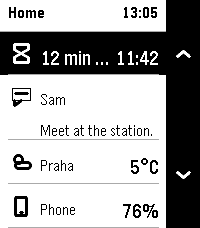
See a current activity, an optional notification and your chosen pins together. Open Dashboard when you want more room for the details.
- Keep an activity, a notification and two pins in one overview
- Open collections and use the controls a source provides
- Choose readings, actions and app shortcuts for your pins
Connect the pieces you choose
A different view of the same countdown.
Start a countdown in Timer and open Dashboard to see it in the overview. Hold Up for the full Activities list. Dashboard keeps its own activity order, separate from your watchface.
Open Timer to pause or resume the countdown. Dashboard displays its activity but does not provide those timer controls.
A closer look
Dashboard in use.
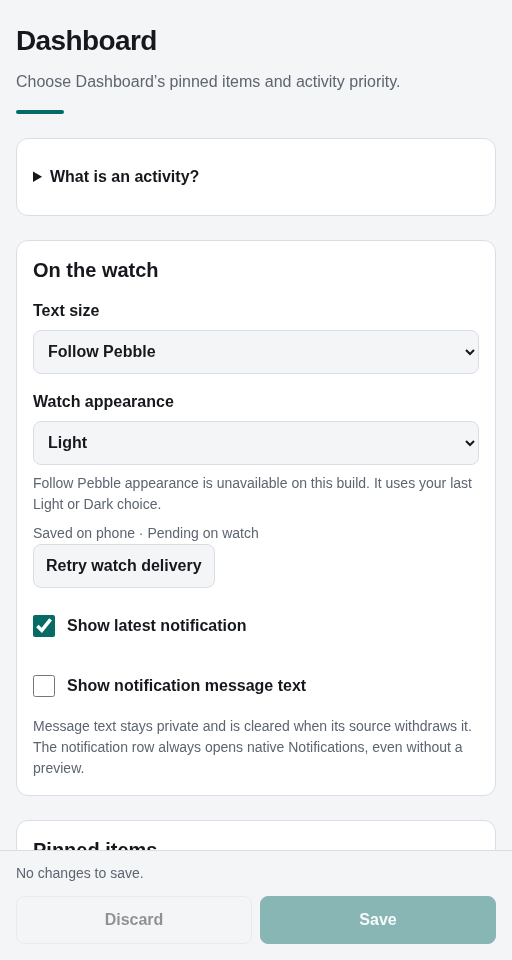
Actual app screens captured in the emulator with example data. Open an image to see its full size.
On Time 2
Capture details
Captured v1.0.1 · native emulatorReused for v1.0.2 after native compatibility checks.Capture provenance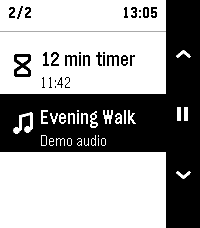
Capture details
Captured v1.0.1 · native emulatorReused for v1.0.2 after native compatibility checks.Capture provenance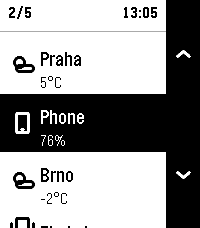
Capture details
Captured v1.0.1 · native emulatorReused for v1.0.2 after native compatibility checks.Capture provenance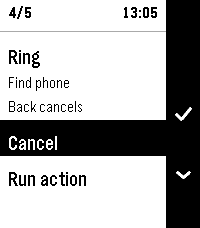
Capture details
Captured v1.0.1 · native emulatorReused for v1.0.2 after native compatibility checks.Capture provenanceOn Round 2
Capture details
Captured v1.0.1 · native emulatorReused for v1.0.2 after native compatibility checks.Capture provenance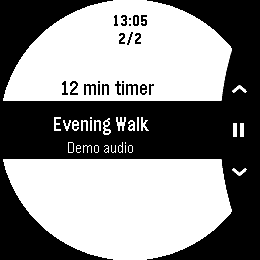
Capture details
Captured v1.0.1 · native emulatorReused for v1.0.2 after native compatibility checks.Capture provenance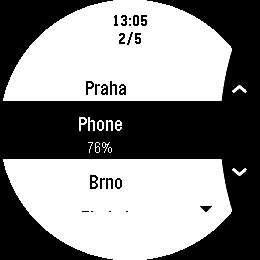
Capture details
Captured v1.0.1 · native emulatorReused for v1.0.2 after native compatibility checks.Capture provenance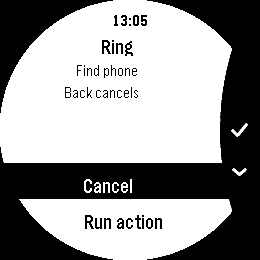
Capture details
Captured v1.0.1 · native emulatorReused for v1.0.2 after native compatibility checks.Capture provenancePhone settings
Already installed?
Make Dashboard yours.
Find the setup steps and controls, or get help with something that isn’t working.