Pebble watch app
 Pebble watch app
Timer
Set a timer. Keep it ready for next time.
Manage up to eight timers with the watch buttons. Pause, resume or reuse a saved duration. The watch keeps the countdown and handles its alarm; sharing it with a watchface is optional.
- Works with
- Pebble Time 2 and Round 2
- Version
- 1.0.3
- Sharing needs the Pebble phone app’s plugin support and a connected phone. Timer’s successfully scheduled alarms work on the watch without the phone.
Latest release
What changed in v1.0.3
Full release notes- Delayed delivery checks no longer interrupt settings edits or Save.
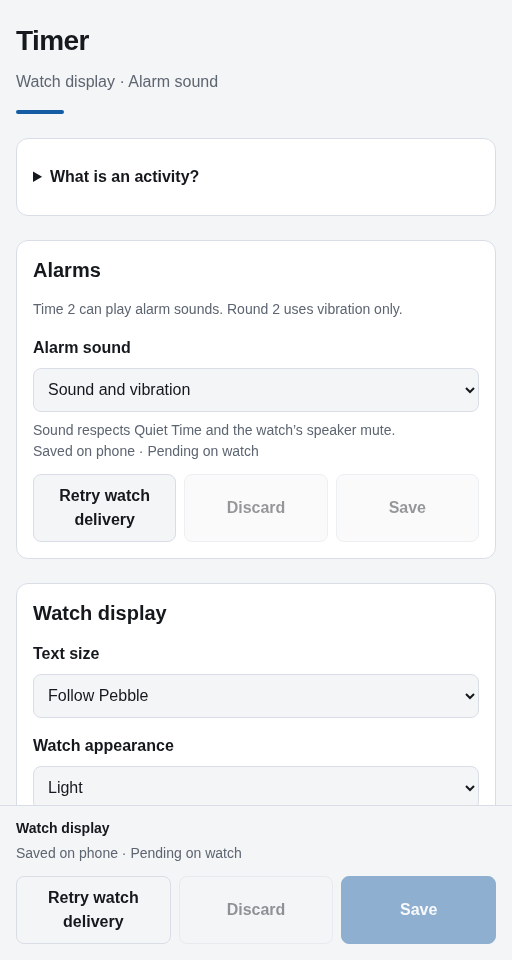
- Watch display and Alarm sound have clearer, separate save controls.
- New launcher icon and clearer appearance choices.
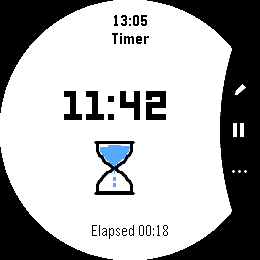
Native emulator · example data
On your watch
Set it once. Use it again.
Set hours, minutes and seconds with the watch buttons. Your timers stay ready for reuse. Finished countdowns can sound on Time 2 when enabled, alongside vibration; Round 2 uses vibration. Sound respects system mute and Quiet Time.
- Keep up to eight timers, from five seconds to 24 hours
- Pause, resume, reset or snooze on the watch
- Use optional sound and vibration on Time 2; vibration on Round 2
- Share the countdown with Dynamic, Halftone or Dashboard through your connected phone
Connect the pieces you choose
Take your countdown to your clock.
Add Dynamic or Halftone to see the time remaining after you leave Timer. This shared update is called an activity. Dashboard can also show it in its overview.
Sharing is optional. Timer keeps its countdown and successfully scheduled alarm on the watch, even without a connected phone.
A closer look
Timer in use.
Actual app screens captured in the emulator with example data. Open an image to see its full size.
On Time 2
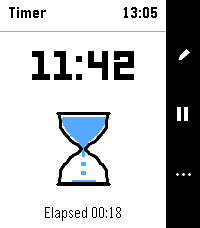
Capture details
Captured v1.0.2 · native emulatorReused for v1.0.3 after native compatibility checks.Capture provenance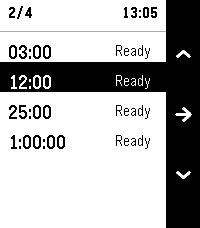
Capture details
Captured v1.0.2 · native emulatorReused for v1.0.3 after native compatibility checks.Capture provenance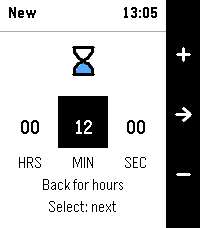
Capture details
Captured v1.0.2 · native emulatorReused for v1.0.3 after native compatibility checks.Capture provenance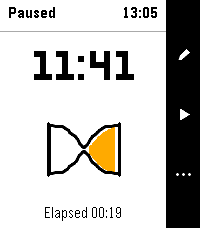
Capture details
Captured v1.0.2 · native emulatorReused for v1.0.3 after native compatibility checks.Capture provenance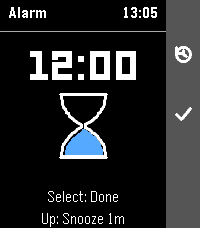
Capture details
Captured v1.0.2 · native emulatorReused for v1.0.3 after native compatibility checks.Capture provenanceOn Round 2
Capture details
Captured v1.0.2 · native emulatorReused for v1.0.3 after native compatibility checks.Capture provenance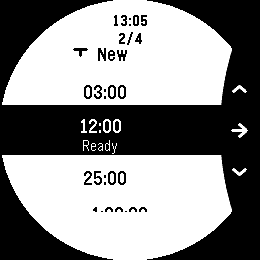
Capture details
Captured v1.0.2 · native emulatorReused for v1.0.3 after native compatibility checks.Capture provenance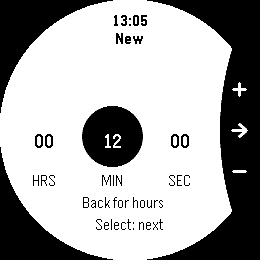
Capture details
Captured v1.0.2 · native emulatorReused for v1.0.3 after native compatibility checks.Capture provenance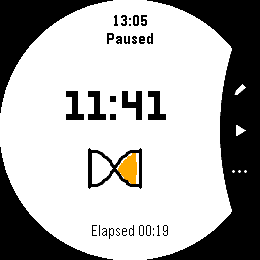
Capture details
Captured v1.0.2 · native emulatorReused for v1.0.3 after native compatibility checks.Capture provenance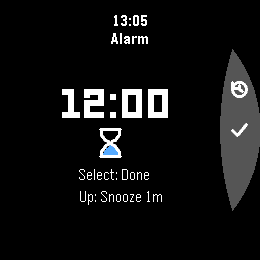
Capture details
Captured v1.0.2 · native emulatorReused for v1.0.3 after native compatibility checks.Capture provenance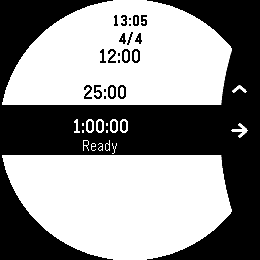
Capture details
Captured v1.0.2 · native emulatorReused for v1.0.3 after native compatibility checks.Capture provenancePhone settings
Already installed?
Make Timer yours.
Find the setup steps and controls, or get help with something that isn’t working.