PebbleOS
For your Pebble.
Two watchfaces, three watch apps and a Czech weather source. Use the pieces that help you.
Explore the collectionBefore you install
- Your watch
- The native apps target Pebble Time 2 and Round 2. Other Pebble models, including Duo, are not included.
- Your phone
- Pair through the official Pebble phone app. Shared readings and activities use its Plugins / permissions preview. Music and notification integration needs Android.
- Your apps
- Check each product page’s release status first. Verified installation choices appear there when available. ČHMÚ Weather is a phone plugin with no watch screen.
Start small. Add what helps.
- 01 / On the watch
Try one timer.
Start, pause and reuse a countdown. Its scheduled alarm runs on the watch.
Set up Timer - 02 / On your clock
Keep it in view.
Add Dynamic or Halftone, configure sharing, then start a longer countdown.
Connect a watchface - 03 / Your choice
Add useful extras.
Choose a shortcut, an overview or a Czech weather source when you need one.
Choose another piece
Choose what you need
Four buttons. A few useful habits.
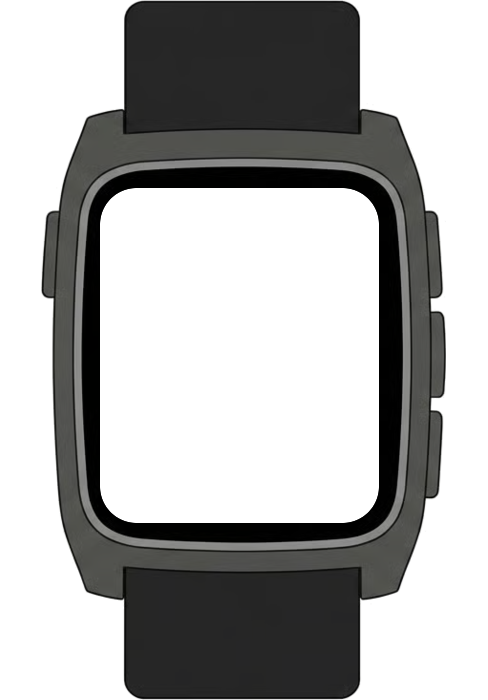
Up and Down move through a list; Select opens the selected item. Back returns to the previous screen. Quick Launch assigns an app to a button shortcut.
The diagram shows Time 2. Round 2 uses the same button names.
See each app’s controls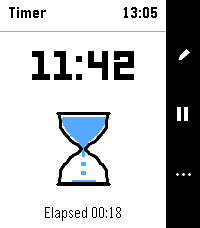
Small readings. Ongoing updates.
- A reading
- A small piece of information, such as temperature or phone battery. Pebble calls these Complications. Choose the watchfaces’ readings in Pebble’s Complications settings.
- An activity
- An ongoing update, such as a Timer countdown displayed on Dynamic or Halftone after you leave Timer. The original app still handles the countdown and alarm. Try it with Timer.
- A plugin
- Code inside the official phone app that supplies information or actions. Some plugins are built in; others, like ČHMÚ Weather, are installed separately. There is no separate XOCE app or Activities library to install.
Connect the pieces you choose.
Timer keeps the countdown and alarm on the watch. With a connected phone, Dynamic, Halftone or Dashboard can show its activity. Open Activity adds Quick Launch shortcuts from your chosen watchface.
ČHMÚ Weather is an optional Czech weather source for Pebble Weather and compatible readings. Both watchfaces work with other compatible weather sources too.
Try Timer with a watchface