The Pebble collection
Choose what belongs
on your wrist.
Two watchfaces, three watch apps and a Czech weather source. Start with the pieces you need; there’s no separate XOCE app to install.
First time here? Start with setupYour everyday clock
Make it yours.
Two watchfaces with a character of their own. Choose one as your everyday clock.
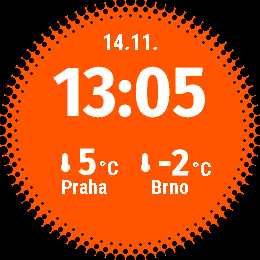
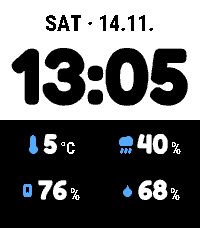
Compare Dynamic and Halftone
Choose the clock layout you prefer. Both work with Timer and other compatible sources; you use one active watchface at a time.
| Feature | Dynamicv1.0.2 | Halftonev1.10.3 |
|---|---|---|
| Layout | Choose Columns, Stacked rows or Four when idle. | A centred Fira clock and a distinctive dotted border. |
| Readings | Two selected readings, or four while idle. Activities and Timeline Peek keep the selected pair. | Two readings beneath the clock, above activities and Timeline Peek. |
| Make it yours | Split clock and detail colours, optional reading titles and shake switching. | Colours, depth and shadow. Big text enlarges the clock, date and readings. |
| Activities | Both can show Timer countdowns, music and optional notifications. Each keeps its own activity order. Open Activity can add a shortcut to the app behind an activity. | |
| Your watch | Both support Pebble Time 2 and Round 2, with layouts fitted to each shape. | |
Shared readings and activities need plugin support in the Pebble phone app and a connected phone. Built-in music and notification sources need Android. Both watchfaces use the same global Complications choices.
02 / Tools on your wrist
There when you need them.
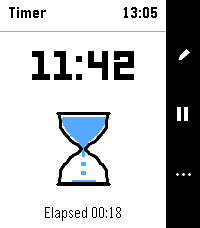
Save a timer, check your overview or take a shortcut. Each is a separate app you open on your watch.
Watch app
Dashboard

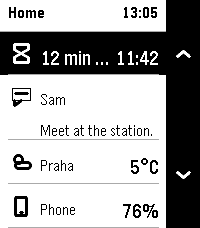
Your activity, notifications and pins. One overview.
Time 2 + Round 2
Explore Dashboard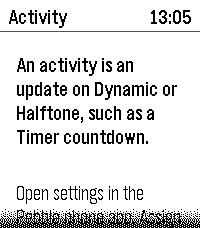
Watch app
Open Activity

From the activity you see to the app behind it.
Time 2 + Round 2
Explore Open Activity03 / A weather source
A local view of the weather.
For Czech locations, an optional source inside the Pebble phone app. Both watchfaces also work with other compatible weather providers.
Phone plugin
ČHMÚ Weather
Czech observations. Local forecasts. On your Pebble.
Pebble phone app · Czech weather
Explore ČHMÚ WeatherBuilding something for Pebble?
Activities and Core are embedded developer libraries, not apps you need to install.
Build and contributeActivities integrationCore integration