Pebble watchface
 Pebble watchface
Dynamic
A clock that makes room for your day.
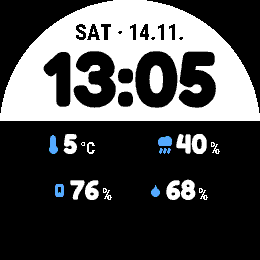
Choose an everyday clock layout with two readings, stacked rows, or four when idle. Keep your selected pair when music, a countdown or Timeline Peek needs the space.
- Works with
- Pebble Time 2 and Round 2
- Version
- 1.0.2
- Shared readings and activities need the Pebble phone app’s plugin support and a connected phone.
- Built-in Music and Notifications activities need an Android phone.
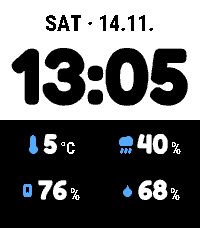
Native emulator · example data
On your watch
Choose the space your readings need.
Four when idle adds a compact 2×2 grid. Activities and Timeline Peek keep the selected pair. Layout, colours and Activities have their own phone-settings screens, with an example preview and one Save action.
- Choose Columns, Stacked rows or Four when idle
- Split clock and detail colours; hide optional titles or enable shake switching
- Keep complete percentages and required qualifiers together
- Arrange music, Timer and optional notifications in your preferred order
Connect the pieces you choose
Leave Timer. Keep the countdown.
Start a countdown in Timer and return to Dynamic. Its remaining time can appear beneath your clock as an activity: an ongoing update from a compatible app.
Timer still runs the countdown and handles the alarm. Open Timer to pause or resume it. Open Activity can add an optional button shortcut back.
A closer look
Dynamic in use.
Actual app screens captured in the emulator with example data. Open an image to see its full size.
On Time 2
Capture details
Captured v1.0.1 · native emulatorReused for v1.0.2 after native compatibility checks.Capture provenance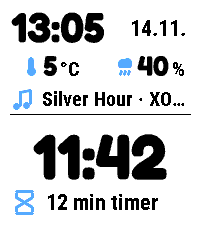
Capture details
Captured v1.0.1 · native emulatorReused for v1.0.2 after native compatibility checks.Capture provenance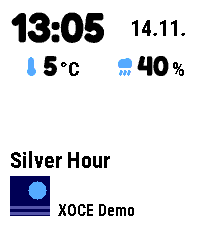
Capture details
Captured v1.0.1 · native emulatorReused for v1.0.2 after native compatibility checks.Capture provenance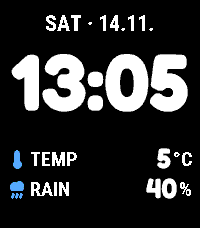
Capture details
Captured v1.0.1 · native emulatorReused for v1.0.2 after native compatibility checks.Capture provenance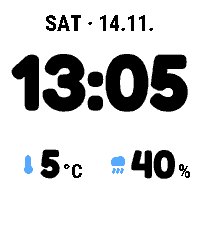
Capture details
Captured v1.0.1 · native emulatorReused for v1.0.2 after native compatibility checks.Capture provenanceOn Round 2
Capture details
Captured v1.0.1 · native emulatorReused for v1.0.2 after native compatibility checks.Capture provenance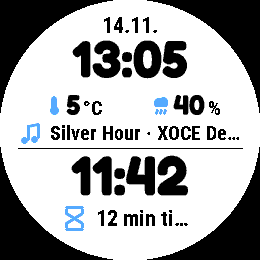
Capture details
Captured v1.0.1 · native emulatorReused for v1.0.2 after native compatibility checks.Capture provenance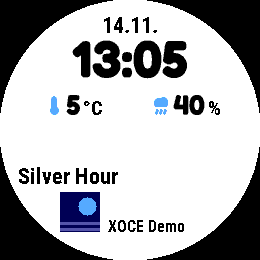
Capture details
Captured v1.0.1 · native emulatorReused for v1.0.2 after native compatibility checks.Capture provenance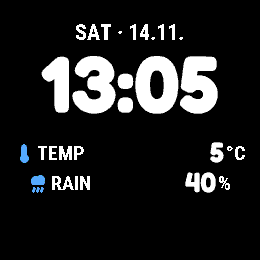
Capture details
Captured v1.0.1 · native emulatorReused for v1.0.2 after native compatibility checks.Capture provenance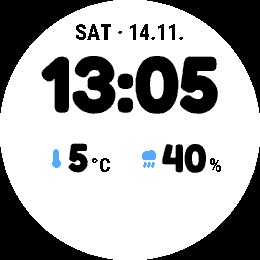
Capture details
Captured v1.0.1 · native emulatorReused for v1.0.2 after native compatibility checks.Capture provenancePhone settings
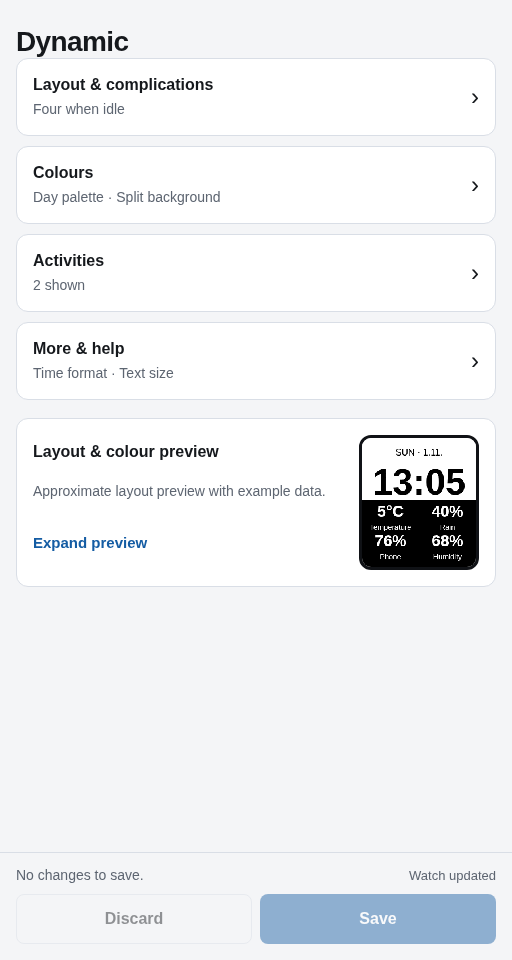
Already installed?
Make Dynamic yours.
Find the setup steps and controls, or get help with something that isn’t working.